
How to know if AirPods are fake
If you're getting a pair of Apple AirPods for $19, there's a good chance they're not Apple AirPods
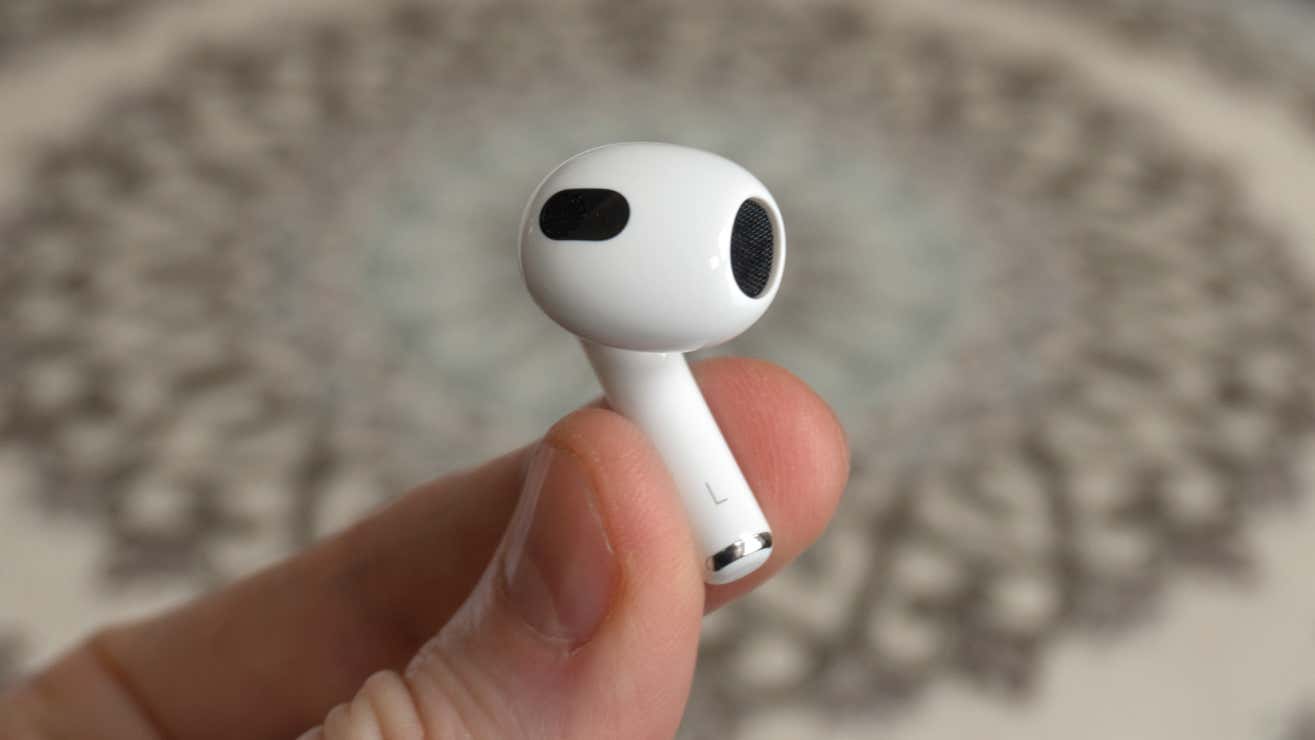
In today's bustling market, the rise of counterfeit AirPods poses a significant challenge for consumers eager to purchase authentic Apple $AAPL products. With a plethora of vendors and online platforms offering these sought-after wireless earbuds, distinguishing genuine AirPods from their fake counterparts can be daunting. One of the most straightforward indicators of counterfeit AirPods is their price. Authentic Apple AirPods are premium products with a price tag to match. If you encounter a pair priced as low as $19, it's a strong indication that they are not genuine. Even during major sales events like Cyber Monday, such a low price is unrealistic for authentic AirPods.
To ensure you are purchasing genuine AirPods, it's crucial to buy from reputable sources. Trusted retailers such as Best Buy $BBY or Apple's official website are reliable options. These outlets guarantee the authenticity of their products, providing peace of mind that you are investing in the real deal. Conversely, purchasing from less reputable sources, such as online marketplaces or forums like Facebook $META Marketplace, can be risky. While the allure of a bargain is tempting, the potential of acquiring counterfeit products is high.
When attempting to identify fake AirPods, there are several key differences to look out for. Genuine AirPods are renowned for their high-quality build and seamless integration with Apple devices. Counterfeit versions often lack the refined finish and may exhibit noticeable discrepancies in design. For instance, the charging case of fake AirPods might feel lighter or flimsier compared to the sturdy construction of an authentic case. Additionally, the hinge mechanism on a genuine AirPods case operates smoothly, whereas a counterfeit version might feel loose or uneven.
Another telltale sign is the sound quality. Authentic AirPods deliver a clear, balanced sound with a reliable connection to your device. In contrast, fake AirPods may produce inferior audio quality, with issues such as static or connectivity problems. It's also worth noting that genuine AirPods come with a unique serial number that can be verified on Apple's website. This serial number is usually located on the inside of the charging case lid or on the original packaging. If the serial number cannot be verified, it's likely that the AirPods are counterfeit.
When buying authentic AirPods, pay attention to the packaging and accessories. Genuine AirPods come in a well-designed box with clear, high-quality printing. The accessories, such as the charging cable and documentation, should also be of high quality and consistent with Apple's standards. Counterfeit products often have packaging with printing errors, poor-quality materials, or missing accessories.
For those considering purchasing second-hand AirPods, it's important to exercise caution. While buying used can offer cost savings, it also increases the risk of encountering counterfeit products. If you decide to go this route, insist on meeting the seller in person to inspect the AirPods before completing the transaction. Check for the aforementioned signs of authenticity, and if possible, test the AirPods with your own device to ensure they function correctly.
In addition to these physical checks, there are several tips for detecting fake AirPods that can be helpful. One effective method is to compare the AirPods to a known genuine pair. This side-by-side comparison can reveal subtle differences in design and functionality that might not be immediately apparent. Additionally, be wary of sellers who are unwilling to provide detailed information about the product or who pressure you into making a quick purchase.
In summary, identifying fake AirPods requires a keen eye and a cautious approach. By understanding the key differences between genuine and counterfeit products, and by purchasing from reputable sources, you can avoid the pitfalls of buying fake AirPods. Remember to scrutinize the price, packaging, build quality, and sound performance, and always verify the serial number when possible. With these strategies, you can confidently navigate the market and ensure that your investment in AirPods is a sound one.
1 / 13
Check the serial number inside the case
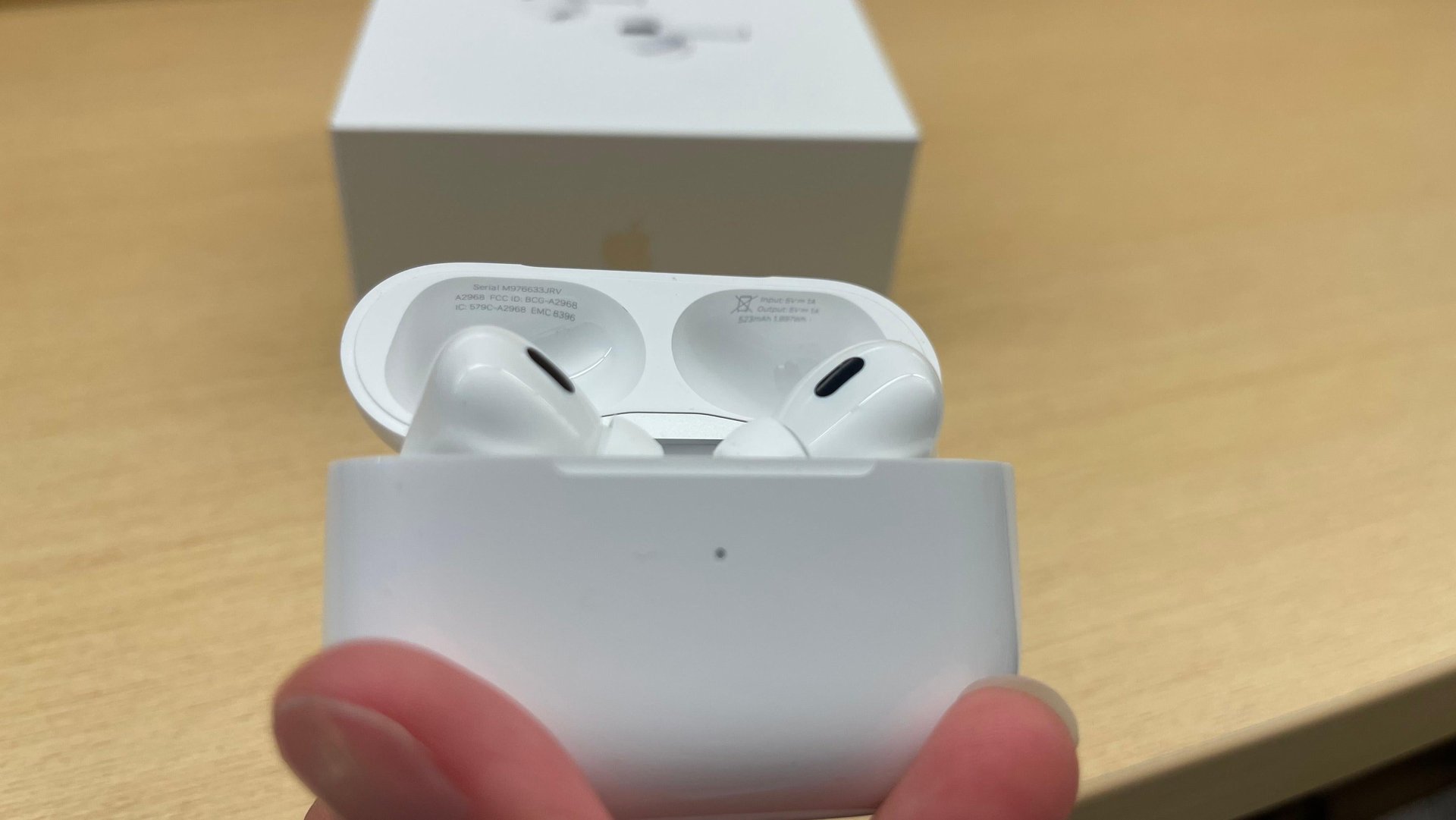
Genuine AirPods have a serial number printed inside the charging case, usually on the underside of the lid. Don’t worry too much about whether the number is on your case’s left or right side. A Reddit $RDDT post tells us that there is no official consensus within Apple $AAPL on where it’s printed.
Check all over, but check well. If this number is nowhere to be found, the AirPods are definitely not authentic.
Crucially, compare the serial number inside the case with the one printed on the box. Scammers sometimes put fake AirPods into a real Apple box to deceive buyers. If the numbers match exactly, it's a good sign they are legitimate.
2 / 13
Run the serial number through Apple's checker
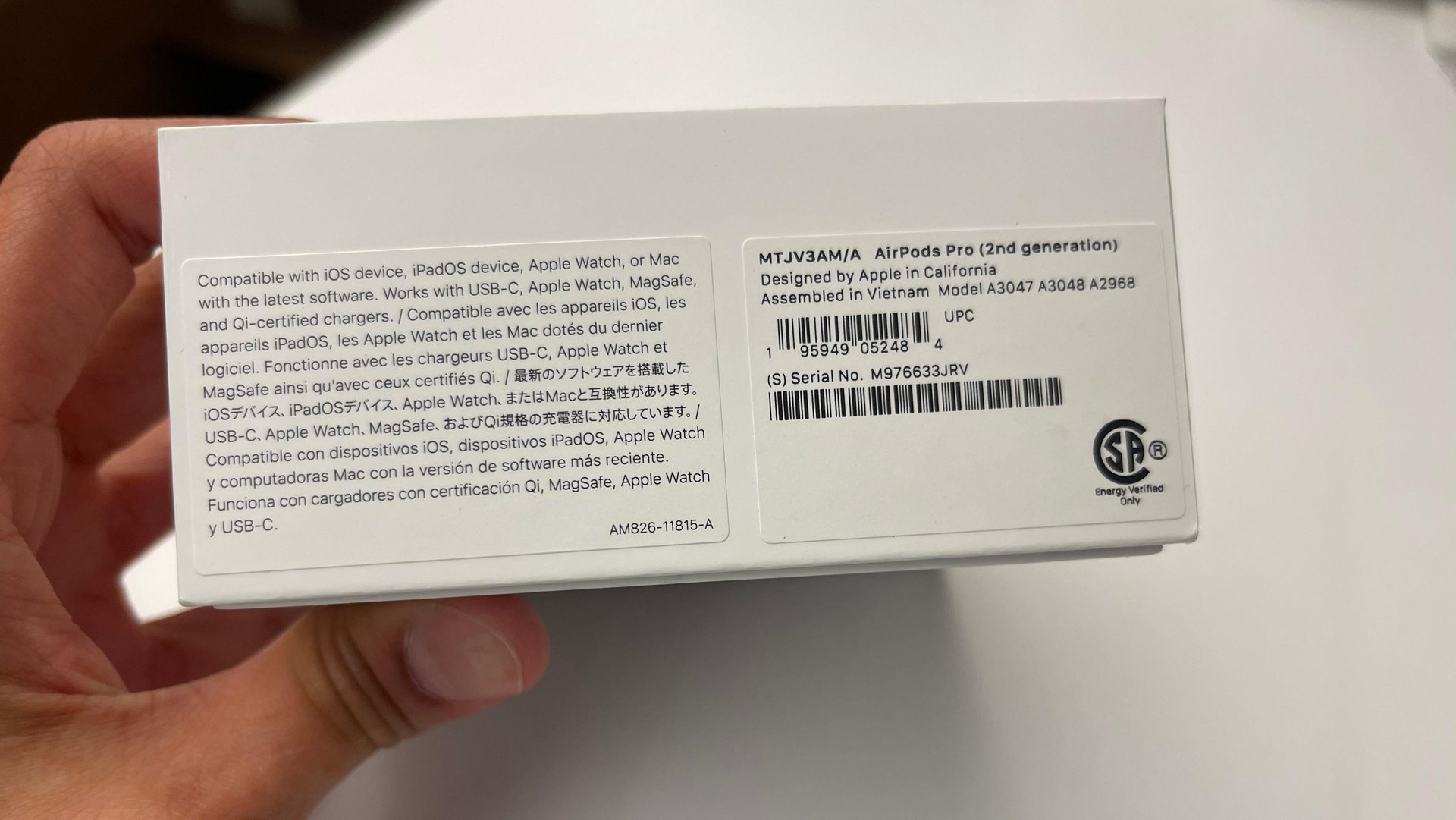
The most reliable way to verify authenticity is to check the serial number. Find the number printed on the original box and enter it into Apple $AAPL's Check Coverage tool online. If the AirPods are genuine, the tool will display the correct model, warranty status, and purchase date information. If it doesn't recognize the number or shows incorrect details, you likely have fakes.
3 / 13
Check the earbuds' serial numbers
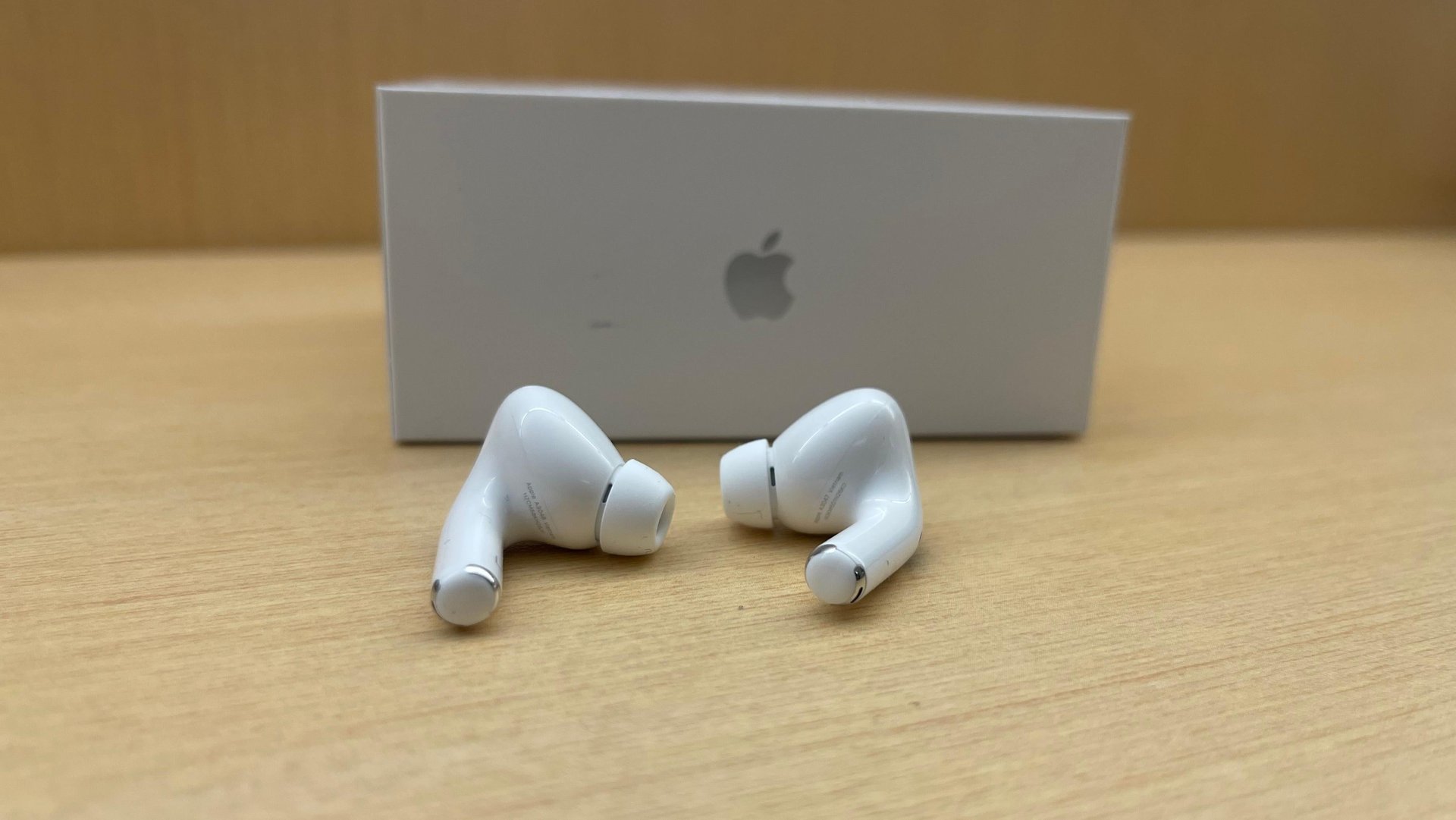
It's easy to miss, but each AirPod earbud also has its own unique serial number printed on the underside. The font is tiny, so it's easy to miss — but worth checking anyway.
Check that both buds have a serial number printed on them and that it's the same number on both buds. Importantly, this earbud serial number will not match the serial number found on the charging case; Apple $AAPL uses distinct numbers for the case and the pair of buds.
4 / 13
Let iOS 17 warn you
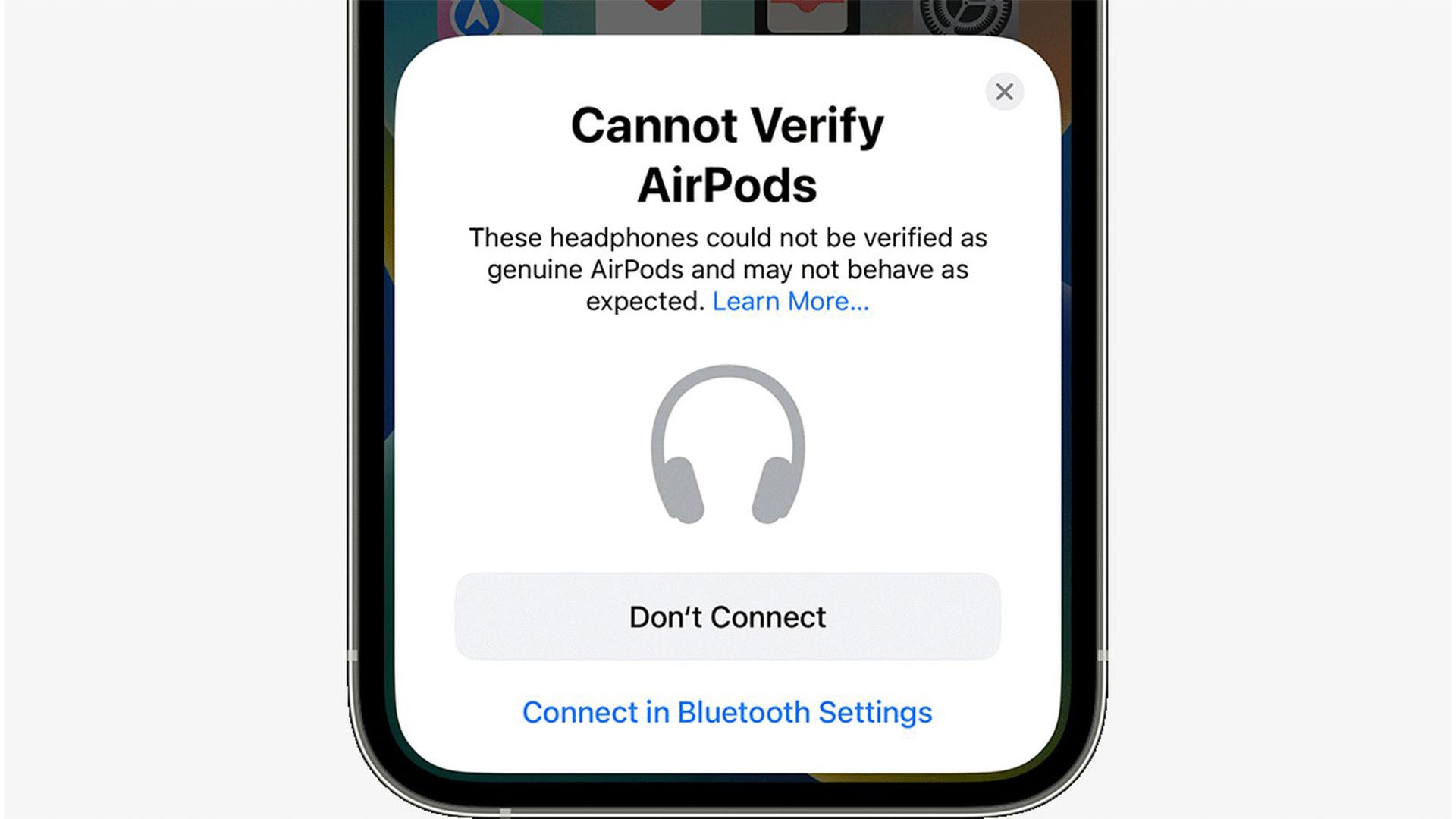
Apple $AAPL has built-in detection for some fakes. If you're running iOS 17 or later, your iPhone or iPad might automatically alert you upon pairing. You may see a pop-up message stating, “These headphones could not be verified as genuine AirPods and may not behave as expected”. While this isn't foolproof for all counterfeits, it's a helpful feature.
5 / 13
Check for engraved Memoji (AirPods Pro 2)

This applies specifically if you ordered AirPods Pro (2nd generation) directly from Apple $AAPL with a personalized Memoji engraving on the case. When you pair these genuine engraved AirPods, the Memoji you chose should appear in the connection pop-up animation on your iPhone or iPad screen. If you paid for engraving but don't see your Memoji on screen during pairing, you might have been scammed.
6 / 13
Verify the documentation
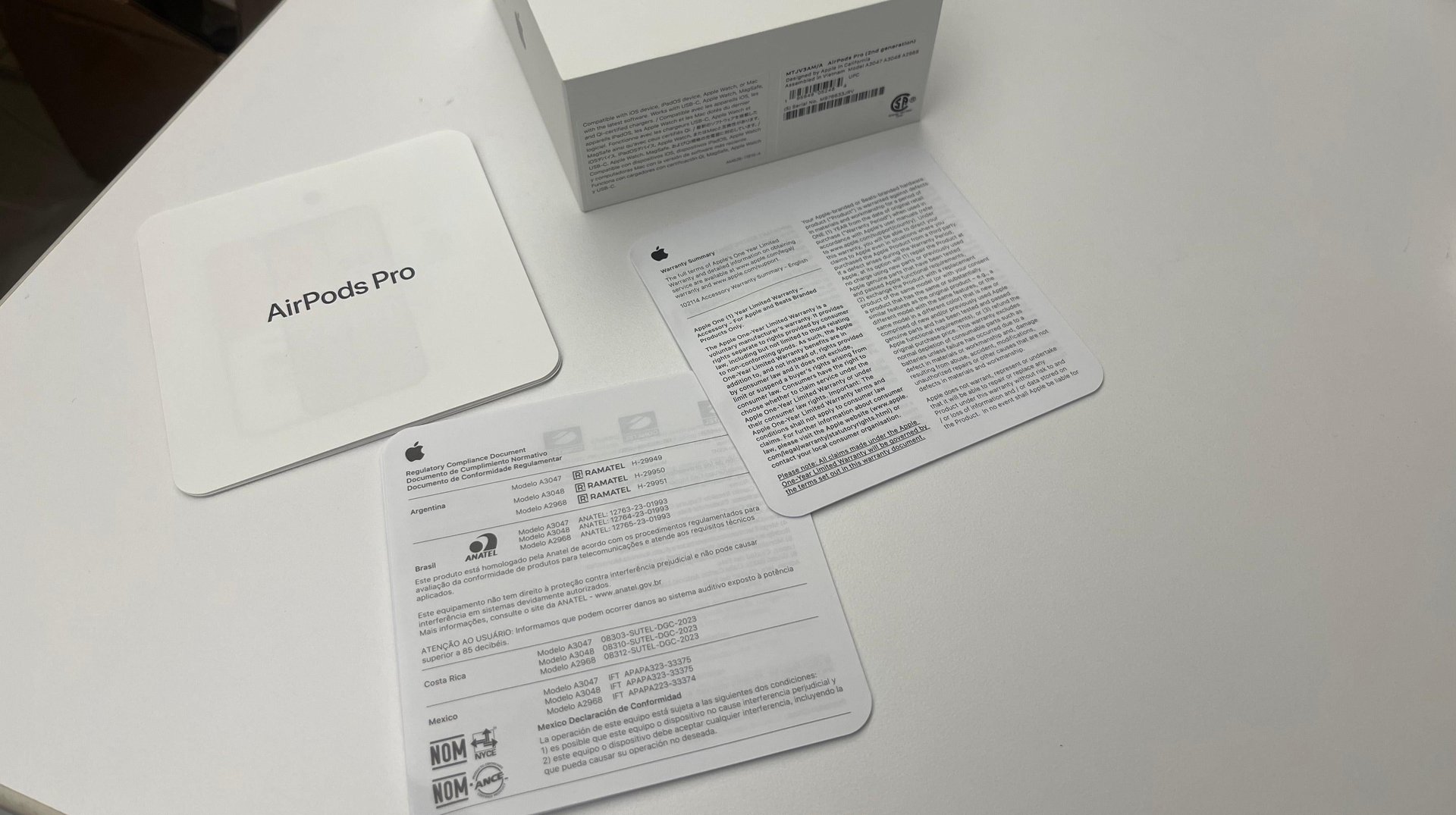
Genuine AirPods always come with proper documentation inside the box. Look for three key items: a user manual, a warranty card, and a safety/compliance information sheet. Missing any of these is a red flag.
7 / 13
Check the weight
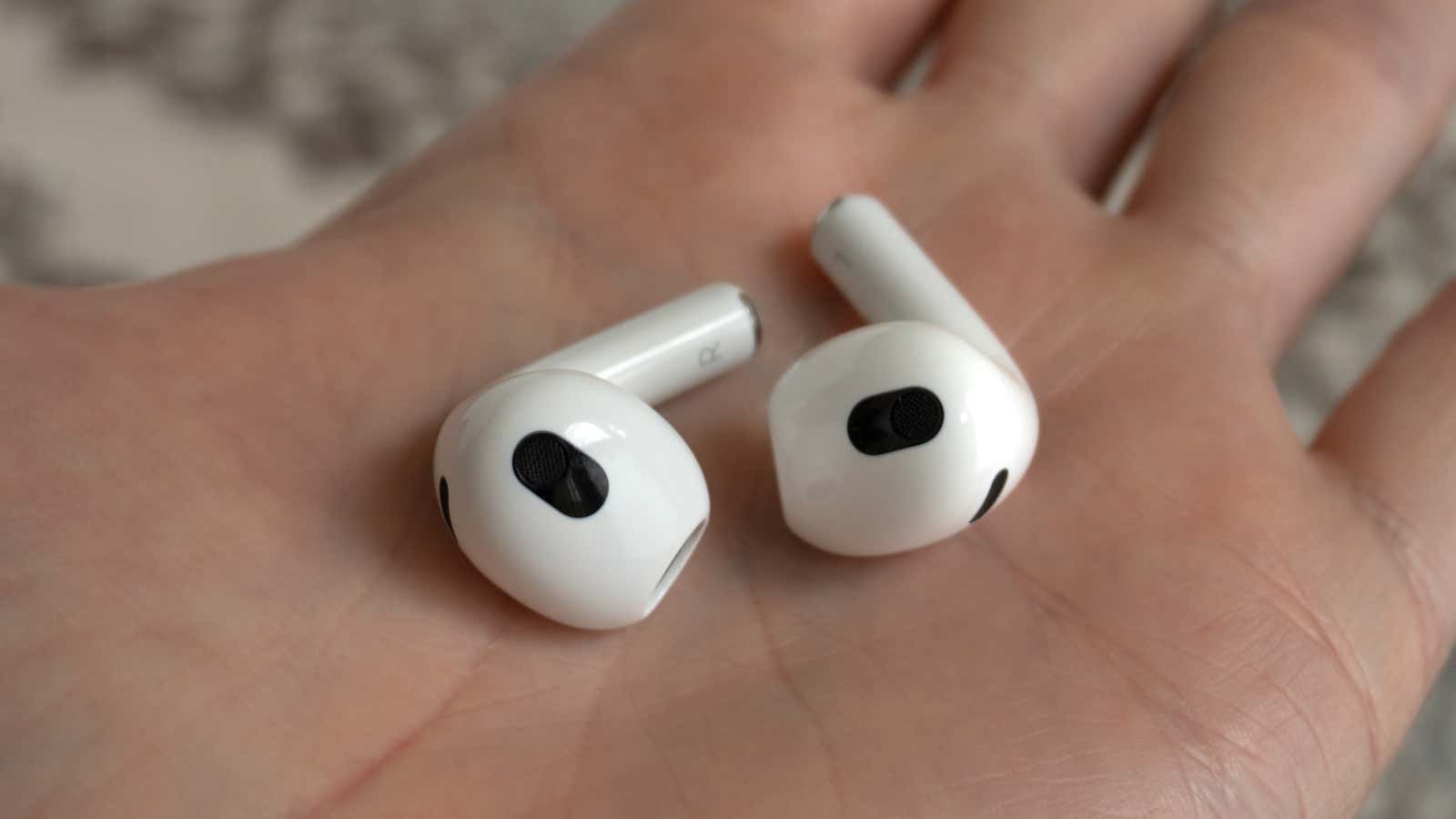
It might sound extreme, but counterfeit AirPods often weigh less than genuine ones. This is because fakes typically use cheaper materials and omit internal components found in real AirPods, like magnets and appropriately sized batteries. Research by Lumafield using CT scans confirmed fakes are lighter and sometimes even have weights added inside the case to mimic the heft of a genuine product. You can find the official weights for different AirPod models on Apple $AAPL's website to compare.
8 / 13
Inspect the packaging carefully
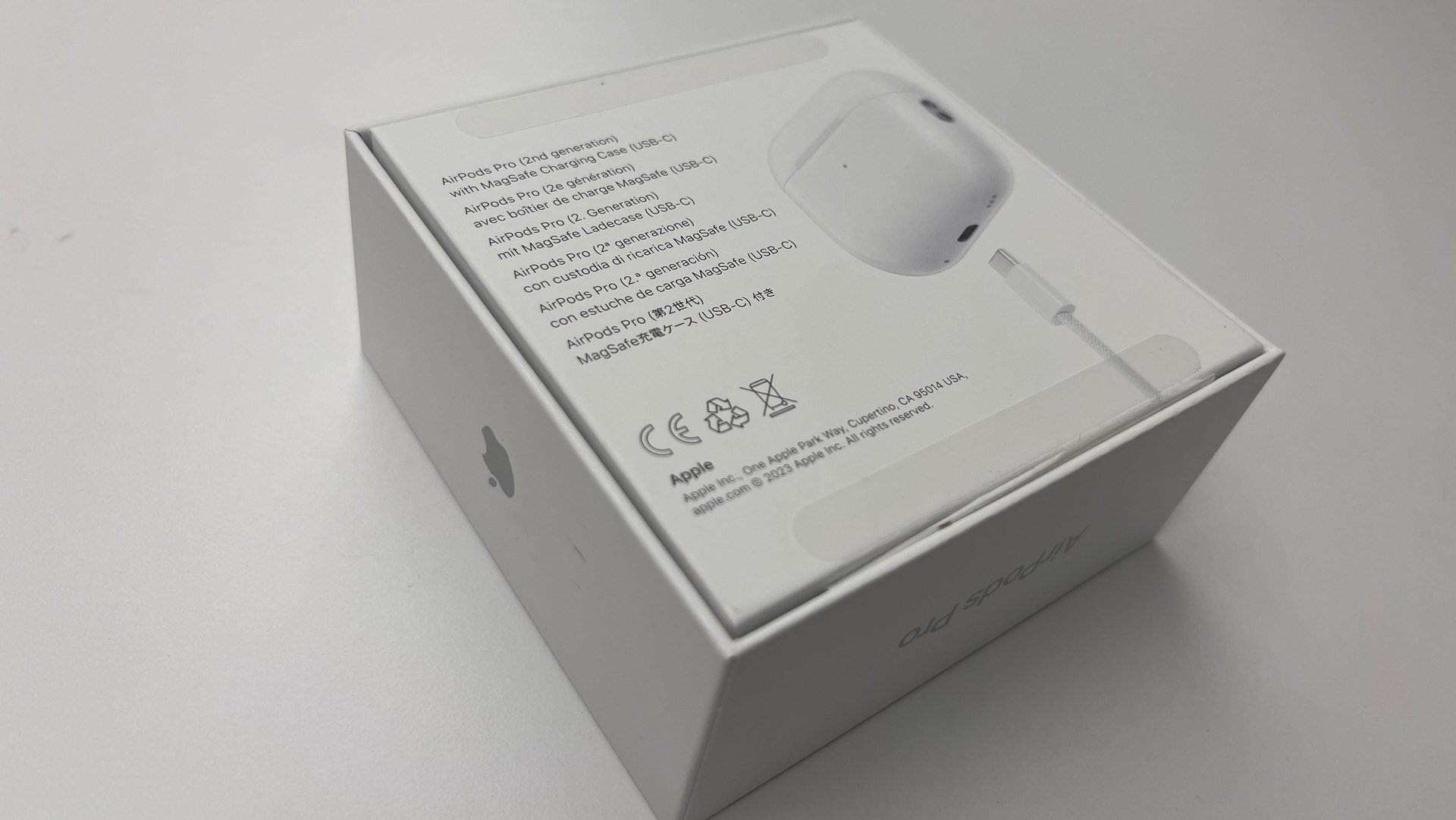
Apple $AAPL's packaging is typically flawless. Examine the box closely for any imperfections. The shrink wrap on genuine products is tight, clear (not yellowish), and neatly applied, without excessive creases or looseness. Authentic boxes also feature tear-away pull tabs for easy opening.
Look for any typos, grammatical errors, fuzzy printing, incorrect fonts, or pixelated images on the box text and logos. Even the Apple logo itself can be a clue – fakes sometimes get the shape or the “bite” wrong. Also, ensure the included accessories, like the charging cable, feel high-quality.
And remember, Apple only sells AirPods earbuds in white; any other color is an immediate sign of a fake.
9 / 13
Look closely at the buttons and sensors
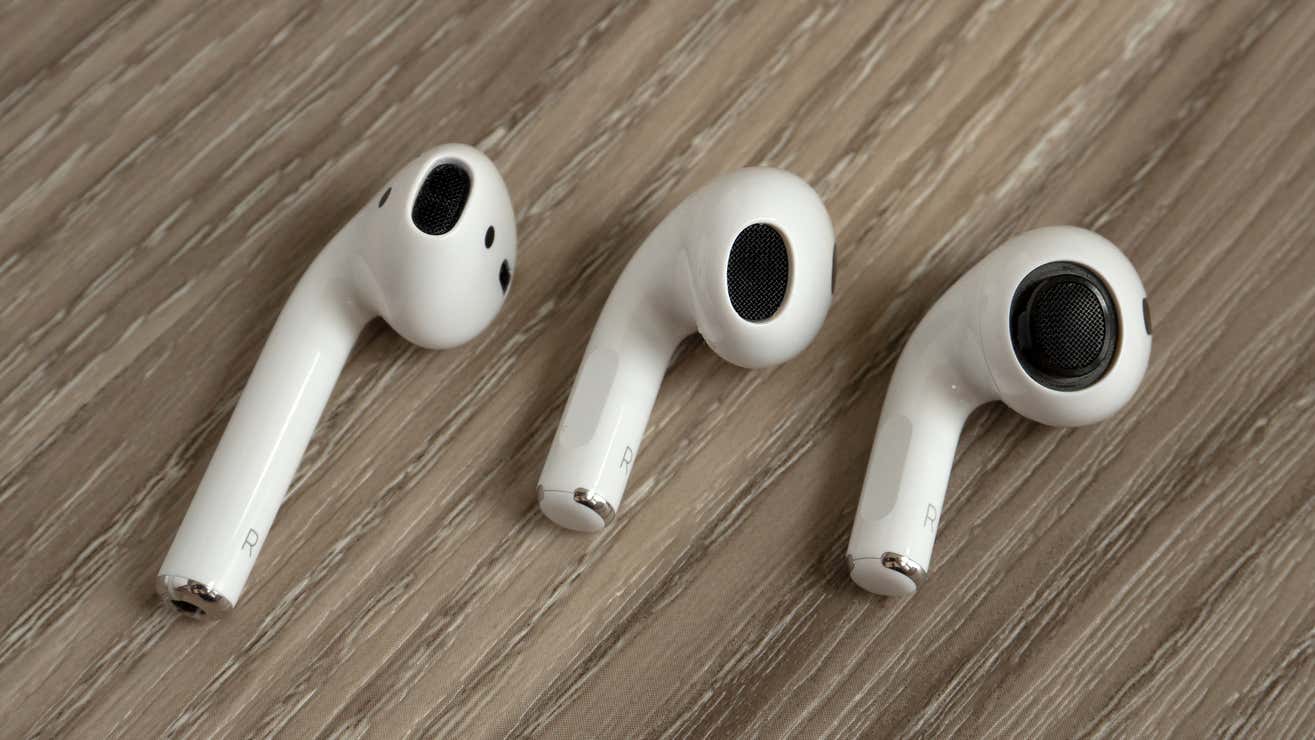
Inspect the earbud stems. Genuine AirPods (after the 1st gen) use force sensor indents for controls, rather than physical buttons. If you see a clickable button on the stem, they are fake.
Also, check the setup button on the back of the charging case. On authentic AirPods, this button should sit perfectly flush with the case surface. If the button feels raised or protrudes even slightly, it's a strong indicator of a counterfeit.
10 / 13
Evaluate the sound quality
Authentic AirPods deliver clear, well-balanced audio and maintain a stable Bluetooth connection. Fakes often suffer from poor sound quality, such as noticeable static, distortion, or weak bass. They might also experience frequent connection dropouts or pairing issues. If possible, test the audio before buying.
11 / 13
Examine the build quality and hinge
Apple $AAPL products are known for their premium feel and precise construction. Counterfeits often cut corners, resulting in a less refined finish. Pay attention to the charging case: does it feel unusually light or flimsy? A genuine case feels solid.
Also, test the hinge mechanism. On authentic AirPods, the lid opens and closes smoothly and firmly. Counterfeit cases frequently have loose, weak, or uneven hinges.
12 / 13
Be extra cautious when buying second-hand
While buying used AirPods can save money, it significantly increases your exposure to fakes. If pursuing a second-hand purchase, always insist on meeting the seller in person to thoroughly inspect the AirPods before handing over any money.
Perform all the checks mentioned above. Test them with your own device to verify pairing, sound quality, and features. Be wary of sellers who seem evasive, refuse to provide detailed information, or pressure you into a rushed decision. Trust your instincts.
13 / 13
Do a side-by-side comparison if possible
Comparing a suspect pair directly against a known genuine set is one of the best ways to spot fakes. Subtle differences in size, color, markings, font, and build quality become much more apparent when viewed side-by-side.